


REtipster does not provide legal advice. The information in this article can be impacted by many unique variables. Always consult with a qualified legal professional before taking action.




If you’re a real estate investor who’s been in the game for any length of time, you’ve probably heard of wholesaling.
Wholesaling is when an investor signs a purchase agreement with a seller and then sells or “assigns” that contract to another buyer for a fee (usually $5K to $10K, but sometimes much more).
This is typically done through an assignment clause in the original purchase contract, which allows the wholesaler to sell their rights to the contract to someone else.
Another common wholesaling method is the “double closing,” in which the investor closes on the property, briefly holds it, and immediately resells it to another buyer.
Double closing lets the investor keep their profit private from the end buyer. Investors usually use this method on deals with much bigger profit margins. It still does the same basic thing: making money from the price difference without taking on the risk of long-term ownership.
The Controversy Around Wholesaling
As this popular niche of real estate investing has evolved, wholesaling has gotten increasingly controversial in the real estate world.
Some states have enacted laws that prohibit or restrict the practice of assigning contracts or double closing without a real estate license. Jerry Norton has done a great job explaining which states require which requirements on his YouTube channel.
The argument is that wholesalers are trying to do the same thing as licensed real estate agents: facilitating the sale of properties they don’t own but have under contract and collecting a fee along the way.
Although the contracts used in wholesaling are legally distinct from those used by licensed agents, some states contend they still constitute the unlicensed practice of real estate.
Those who support wholesaling argue that it’s a legitimate investing strategy that provides a valuable service to sellers who need to sell quickly and may be unable to wait for a traditional buyer. If the wholesaler has a valid contract with the seller and isn’t misrepresenting themselves, they should be free to assign that contract or resell the property.
The problem is that some wholesalers don’t communicate the process well with the seller, and the seller agrees to sell the property without understanding what’s happening.
Even if a wholesaler does a perfect job of documenting and communicating the process, they’re still competing with licensed real estate agents. This has mobilized an army of agents to oppose wholesaling in some states.
Why This Matters for Real Estate Investors
Regardless of where you stand on the wholesaling debate, the legal landscape has shifted significantly over the years, and it continues to change.
If you’re a real estate investor who relies on wholesaling as part of your strategy, it’s crucial to understand the laws and regulations in your state.
It’s also important to understand the nuances of these laws. Some states have strangely worded rules that leave plenty of room for interpretation. Other states clarify that certain wholesaling forms are illegal (like assigning contracts), but others are fine (like double closings).
Whichever state you’re curious about, take the time to read the law for yourself and understand precisely what is and isn’t allowed in that state.
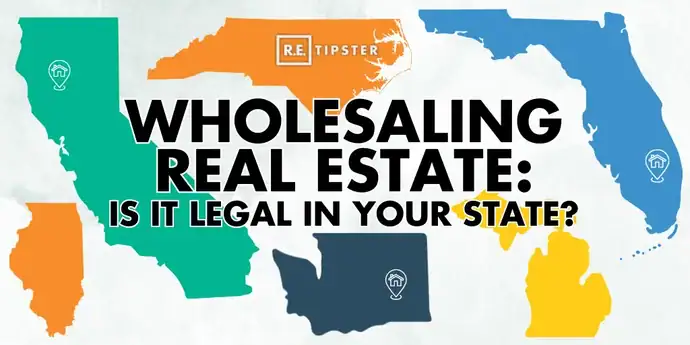
This is not a black-and-white issue; the answer isn’t simply ‘yes’ or ‘no’ in each state. The map below is a starting point to guide you, but you need to do your research before taking action.
Violating these laws, even unintentionally, could result in hefty fines and other penalties. In some cases, it could even jeopardize your ability to continue investing in real estate.
Click on your state for a summary of the relevant regulations and links to additional resources.
Legal Disclaimer: The laws and regulations in each state are constantly changing. We’ve done our best to assemble the most relevant and up-to-date information across the country (this map was last updated in November 2026), but we cannot guarantee its accuracy. Always consult with a qualified legal professional in the state where your property is located to ensure compliance.
Disclosures
No matter what state you’re working in or which kind of wholesaling maneuver you’re trying to use, it’s always a good idea to communicate clearly with the seller about what you intend to do.
Wholesaling has been outlawed in certain markets because many real estate wholesalers have done a poor job of communicating their intent and/or of setting proper expectations with sellers from the outset.
If you set proper expectations and maintain clear communication throughout the process, there should be little room for misunderstandings or disappointment from sellers.
The Bottom Line
Wholesaling can be a powerful tool for real estate investors, but it has risks and challenges, even when there is no legal case against it.
As the legal environment evolves, staying informed and adapting your strategy is more important than ever.
Whether you pursue wholesaling or other investing methods, remember that real estate success requires constant learning and a willingness to pivot when necessary. Stay nimble, stay compliant, and keep growing.






Hello.
Wholesalers dont compete with realtors. Wholesalers are trying to help a person in bad situation and must sell there home quickly. NAR only wants to keep their monopoly on real estate and have us all bow to being licensed realtors. We are not realtors; we flip paper like every other industry in finance and business. Realtor sell houses for people who want to sell, willing and able to wait for realtor to sell their home. Realtors dont own the homes.
Realtors are flipping paper, also! I know several realtors that have tried to flip me the contract on a residential property for their client, at a price must higher than they offered their client.
Next thing you know, we have to be realtors to buy foreclosures. Some states already require you to use a realtor to buy your home and sell your home. So my question is, do I own my personal home or does NAR, and why should I buy a home in the land of the free, if I dont have any right to my home.
Thanks.
Those are some great insights. I didn’t realize some states required you to use a realtor – that’s kinda crazy! Talk about special interest groups hijacking an entire industry. I can’t imagine why the government would legislate that a third party be forced every into every real estate trasnaction.