


REtipster features products and services we find useful. If you buy something through the links below, we may receive a referral fee, which helps support our work. Learn more.




Claude Desktop App | Claude Chrome Extension | Land Portal | Land Research Skill | Research Prompt
If you’ve done any real amount of land investing, you already know the part of this business that nobody brags about. It’s the property research.
You pull up the parcel data, check the flood zone, look at the slope, confirm the access, and copy a handful of numbers into your CRM or a spreadsheet. Then you turn around and do the whole thing again for the next property, and the one after that.
The information itself is incredibly valuable. Gathering it, on the other hand, is slow, repetitive, and honestly kind of mind-numbing. If you’re researching several properties a day, this one task can quietly eat up hours of your week.
I recently stumbled onto something that changes this in a big way, and I wanted to walk you through it. It’s a combination of two tools working together: Land Portal and Claude Cowork. When you put them side by side, you can hand off the boring research and go do almost anything else while it happens in the background.
First, What Exactly Is Claude Cowork?
You’re probably familiar with Claude already. It’s the AI assistant that many people use as an alternative to ChatGPT, and in many ways, it’s better.
 Claude Cowork is several levels beyond the regular chat experience, though, because it doesn’t just talk with you. It’s a desktop application you install on your Windows PC or Mac, and once it’s running, it can take control of your computer and perform tasks on your behalf.
It can browse the internet, move files around on your machine, and complete multi-step tasks just as a person would. Some folks go so far as to buy a second computer just to let Claude Cowork run on it without getting in the way. I haven’t gone that far yet, but I understand the appeal.
The simplest way I can describe it is that it’s like hiring a sharp college intern who works around the clock without getting tired or bored.
I’ll be completely honest with you about one thing before we go further. To use Claude Cowork at all, you need a paid plan. The $20-a-month option works fine for occasional tasks, but I kept running into usage limits because this tool does a genuine amount of work behind the scenes.
I ended up upgrading to the $100-a-month plan to stop hitting those walls. That sounds steep, I know, but if you’re using it the way it’s meant to be used, it pays for itself quickly. In a lot of ways it really is like having an employee, except this one can work overnight and fix its own mistakes when you point them out.
What Land Portal Brings to the Table
If you’ve ever used Land Portal, you know it’s an amazing source of property data. You search for a parcel by address, owner name, APN, or latitude and longitude, and it serves up a mountain of useful information: flood data, slope reports, AI market reports, comps, and most of the things a land investor needs to know before pulling the trigger on a deal.
The data is all there. The catch is that pulling it together still takes time and mental effort. You have to log in, click around, copy details into wherever you keep your records, and repeat.

If you’re not a Land Portal user yet, you can sign up through the REtipster affiliate link and get 1,000 free exports to test it out.
So this is exactly the kind of repetitive, valuable, boring work that Claude Cowork is built to take off your plate. There are two ways to set it up, and I want to show you both because each one fits a different situation.
Method One: The Browser-Based Way
The first method I figured out has Claude Cowork log into your Land Portal account through Chrome and do the exact same clicking and copying you’d normally do yourself.
To make this work, you’ll need to install the Claude Chrome Extension, which is free and takes about a minute. That extension is what lets Claude Cowork see your browser and operate it on your behalf.
To save you the trouble of writing instructions from scratch, I put together a ready-made prompt you’re welcome to grab right here. All you do is paste it in, fill in the state, county, and parcel number, and hit enter.
From there, you can sit back and watch a glowing orange frame appear around your browser, which is Claude’s way of showing you it’s looking at the screen. It selects the state, finds the county, pastes in the parcel number, and scans down the data exactly the way you would.

Now here’s where it gets a little quirky. Every so often, Claude will pause and ask you something, like whether it found the correct parcel or whether it can take a screenshot to build your report.
It doesn’t play a sound when it stops, so my advice is to keep the Claude Cowork window visible so you can spot when it needs a quick yes from you.
When it finishes, it hands you a clean, professional Word document with all the property details laid out, including red flags such as a county valuation gap or missing FEMA flood data, as well as the positives.
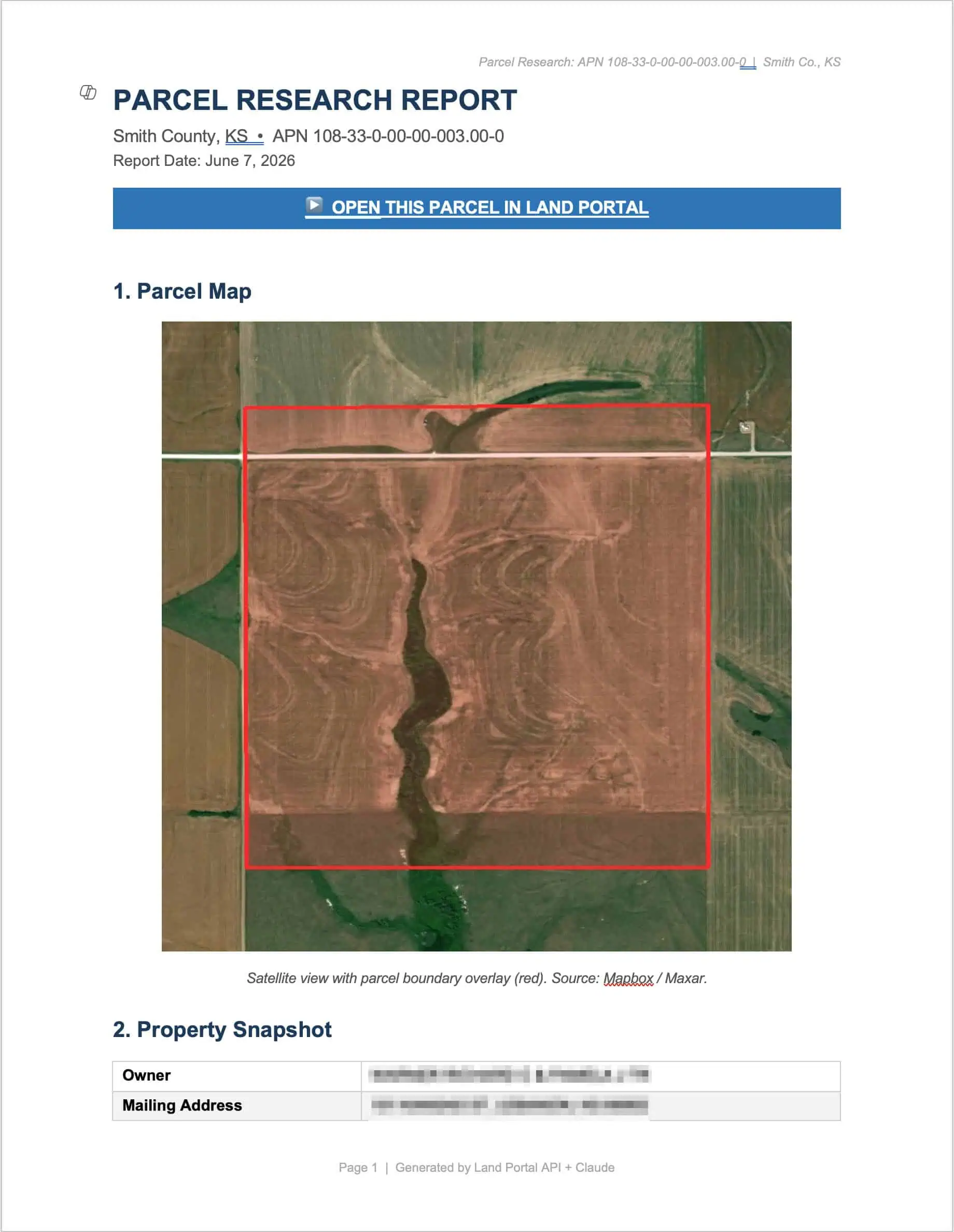
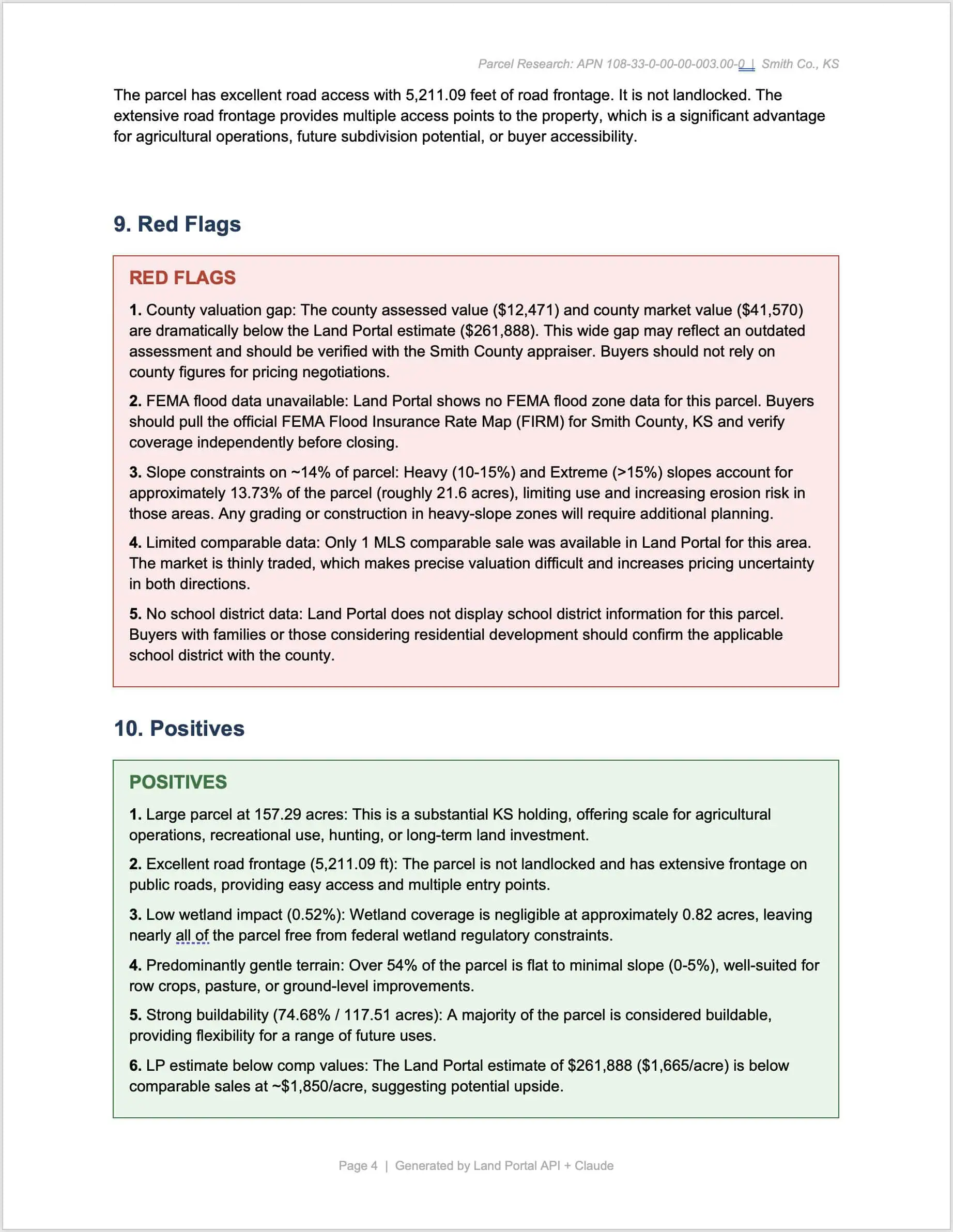
This method works well, but I’ll be straight with you. It’s slow. A single parcel took about ten minutes.
The beauty is that speed barely matters because Claude is doing this while you handle more important work (or while you’re asleep). If you load up twenty parcels before you leave the office, it can grind through them one by one overnight and have a stack of reports waiting for you in the morning.
Method Two: The API Way (Much Faster)
Once I got comfortable with the slow method, I found a way to do the same job in roughly ten seconds instead of ten minutes.
Land Portal now offers API access, available under the API section of your profile. You click “generate API key,” give it a name, and it spits out a long string of characters.

A word of caution here, because this part matters. That API key is essentially the key to your Land Portal account. If someone else got hold of it, they could run up a serious charge on your account.
So you don’t want to paste it carelessly anywhere, and you actually don’t want to paste it directly into the chat at all. Instead, drop it into a text file, save it in a dedicated folder that Claude Cowork can access, and then point Claude to the file. It retrieves the key from your computer rather than from the conversation, which keeps it more secure.
The second piece is what makes this method shine. I created a Land Portal Parcel Research Skill File you can download and install. A skill file is just a large set of instructions that tells Claude exactly how to do this specific job.
You double-click it, click “add to library,” and you’re set.
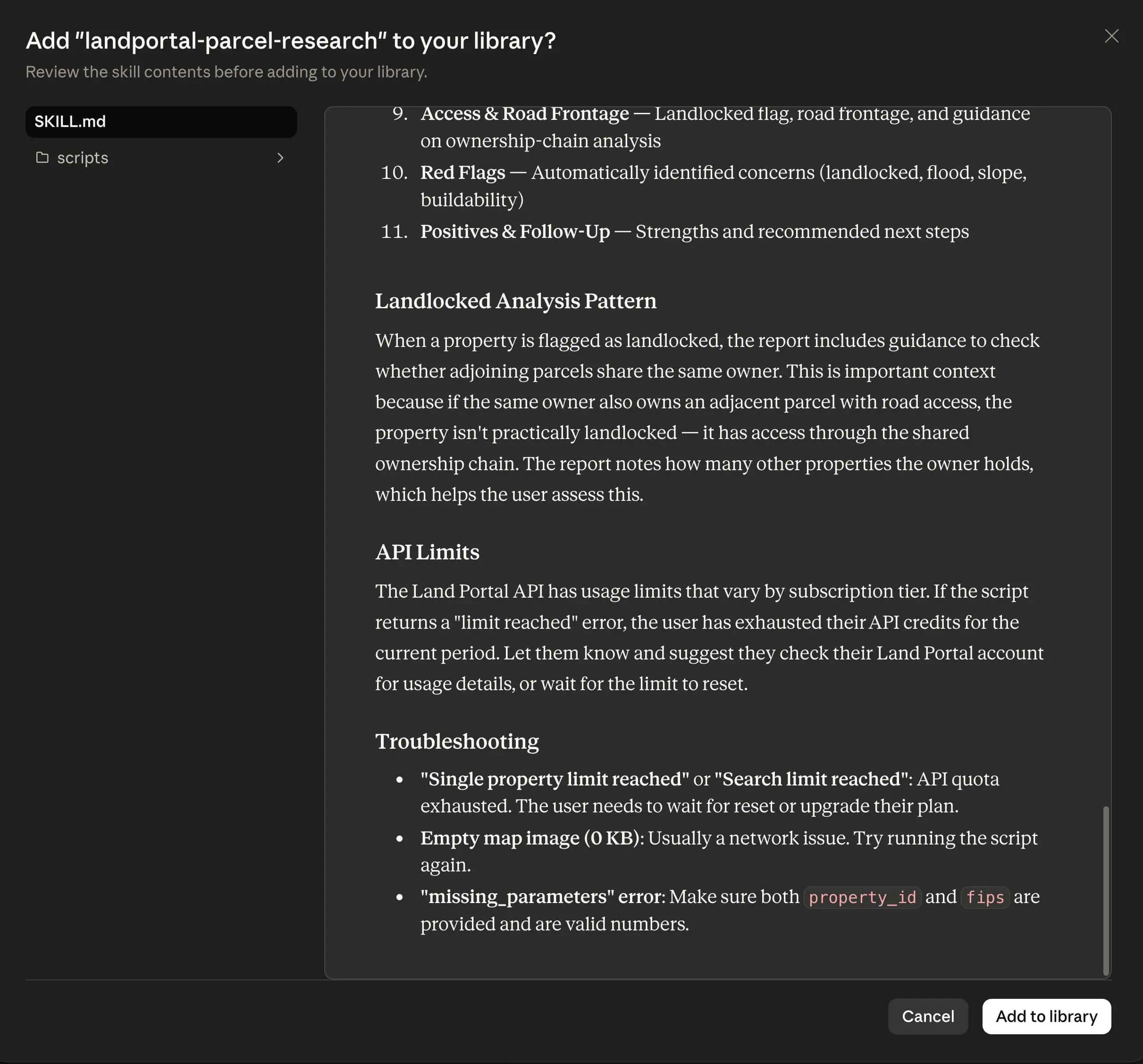
From then on, you simply tell Claude, “Use the Land Portal parcel research skill to compile a report on this parcel,” give it the state, county, and parcel number, and let it run.
Because it works through the API, there’s no browser, no glowing orange box, and no clicking around. It just pulls the data and builds the report behind the scenes in under a minute.

The tradeoff is that this approach chews through your Claude tokens faster, precisely because it’s so effortless. If you want to research properties at scale, say a spreadsheet of a hundred parcels at once, you’ll likely want the Pro plan or higher so you don’t run out of room.
One Honest Word of Caution
If you’ve ever dealt with AI making things up, you’re probably already wondering whether you can trust these reports.
Here’s my real advice: don’t fully trust them the first several times you use this. Go line by line and cross-check what Claude pulled against what’s actually showing in Land Portal. After you’ve done that a handful of times, you’ll likely see what I’ve seen: the data is mostly spot-on.
Where your own brain still earns its keep is the red flags and positives section. Don’t just confirm the facts are accurate. Ask yourself whether you’d reach the same conclusions Claude reached, because it will sometimes surface things you wouldn’t have thought of on your own.
The Bigger Picture
Here’s something that should make this hit home. I’ve heard from people who sell done-for-you due diligence reports for $97 or even $200 a pop, and folks happily pay it. Claude is doing nearly identical work for almost no effort on your part. There’s serious value sitting right here.
And property reports are only the starting point. Once you have that API connection in place, you can do automated deal scoring that ranks a list of parcels by investment quality, run comp analysis on demand, handle skip tracing, and automate parts of your mailing campaigns.
If you’re using a CRM like Land Portal alongside Stride, Claude Cowork can connect to both via their APIs and manage much of your workflow without you ever logging into either.
It wasn’t a complicated setup, but it was a genuine unlock, and I’m still wrapping my head around everything it makes possible. You no longer have to pour your limited hours into the monotonous research that, while extremely important, is also extremely boring.
My hope is that this opens your mind a bit and gets you thinking about what you could hand off next. If you give it a try and find a clever use I haven’t thought of, I’d genuinely love to hear about it.